Asking the Right Questions for the MVP Launch
We analysed the initial and secondary research data and formed a good understanding of what we wanted to build through asking some key questions which were:
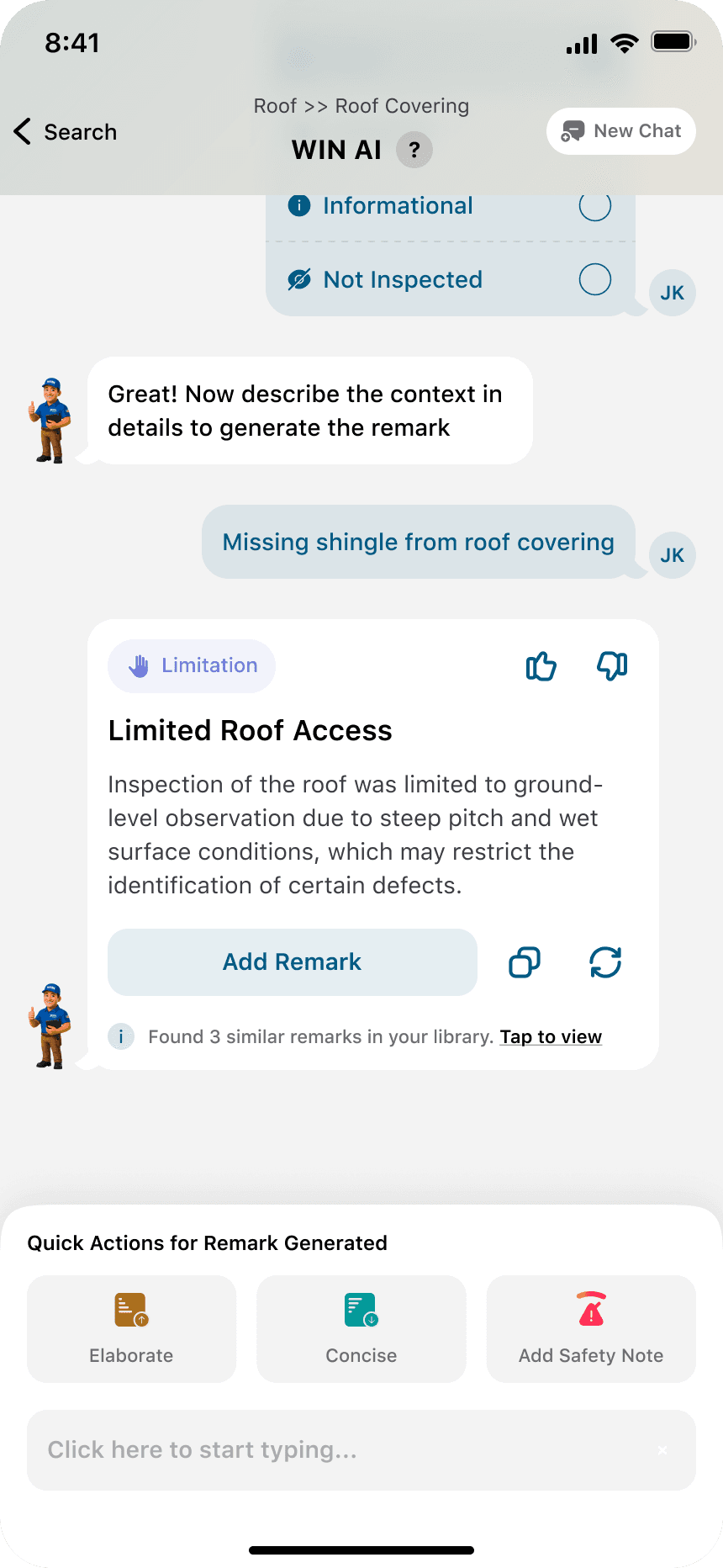
How can we minimise the time it takes to document findings without giving up on the quality of reports end clients get?
How can we reduce the back and forth to find the appropriate category to then add the remarks and photos to?
How do we ensure that the transition from legacy to the new app is smooth and hassle free?
How do we include all three personas in our designs for a more "do your own thing" approach?
With these (and more) questions on our drawing board, we started idealising a concept that works the way Inspectors want it to, but also reduces friction between flows and juggling multiple things at a time
We had several meetings and daily touch points with the Stakeholders and Product Team pioneered by design and research to decide on the key flows that we wanted to focus on for the first launch.
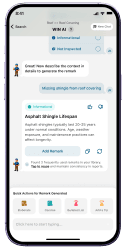
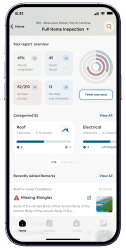
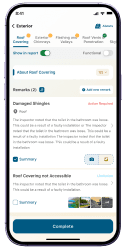
A key thing that we wanted to pursue was to inculcate a Input Driven Ideology which means the inspectors could search for comments or capture photos from anywhere in the flow which does not restrict you to a checklist/category driven approach
M
V
P
L
A
U
N
C
H
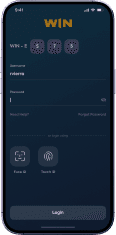
Login
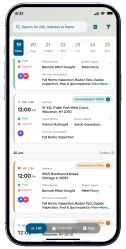
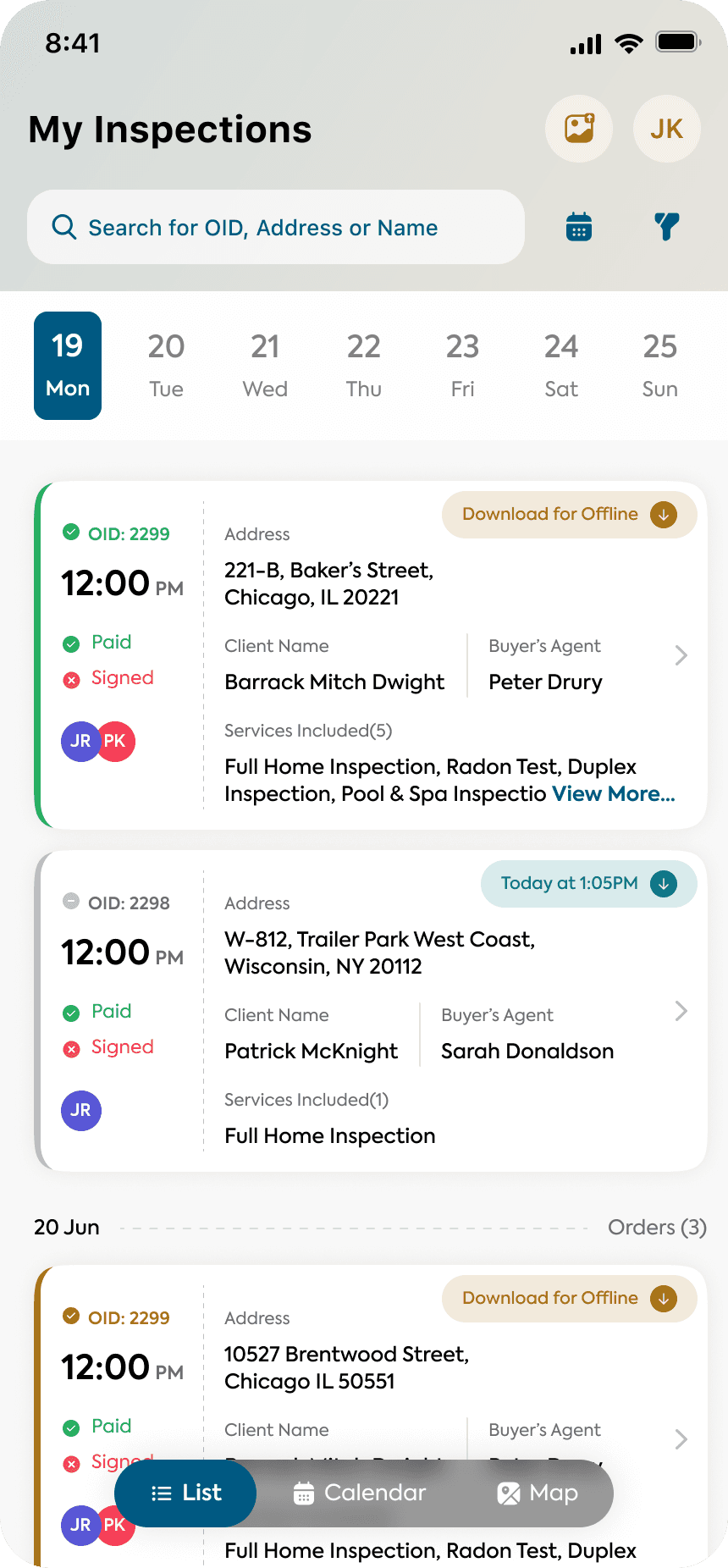
Order Listings
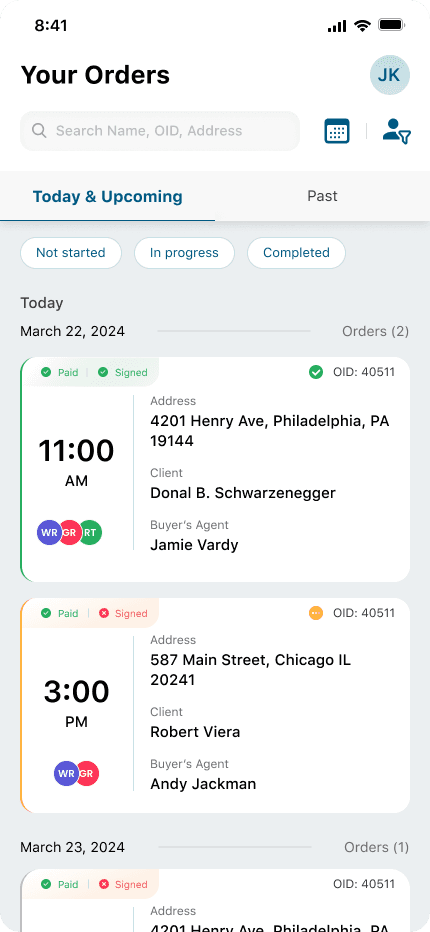

Order Search using Client Name,
OID, Address (How inspectors search found out using surverys)
Today & Upcoming shows orders for the coming 7 days. We automatically downloaded the data for next 2 days of inspections for offline mode
Quick Filters to filter out inspections by their statuses
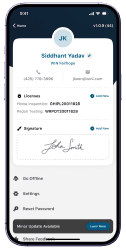
User Settings for office level settings and to control what's shown on the output
Date Range and Multi Inspector filters for inspector working with other AIs
Past shows the orders for the last 30 days. The data downloaded for offline was deleted as soon as the inspections were completed
Order Cards holds all the key details the inspectors want to know before entering the house

So what makes completing the reports on site so difficult?
To find out what makes the process so cumbersome, we conducted surveys, focus group sessions, 1-1 interviews to find out how their experience has been and the problems they're facing. The primary focus of interest being how do they conduct inspections?
On the basis of our findings, we saw 3 patterns in 3 different kind of users. We decided to then build the core of the app around these three identified user personas.


I spend 2 hours on the site writing issues on my notepad & capture pictures using a point & shoot camera!

I have to go through a checklist of 500+ items and have to carefully setup templates before time!

I have been using it for 7 years & still can't get around it, so many unnecessary steps!

The app crashes a lot & does not function well in offline-mode, which makes me do the same things twice!
Which formed some key insights:
The checklist based approach slowed down the inspection time; the inspectors had to manually go through a list of 400+ sub-categories
The template management structure was not flexible; & filled with a lot of challenges of its own
The app did not function well offline; which is one of the main usecases as the network was low in almost 65% of the homes
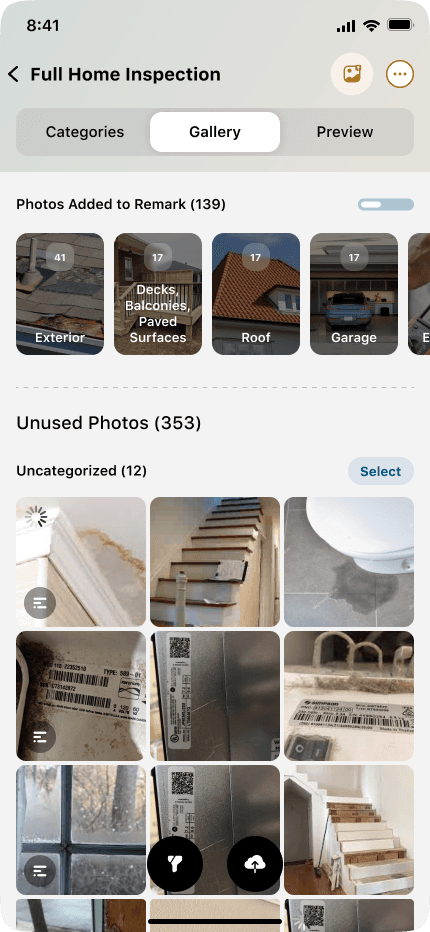
The inspectors on top of the equipments (like drones, scanners, etc.) had to carry two devices; one to click pictures and one to document findings
We could at an early age identify three set of patterns to conduct inspections. And the real challenge was the age group, the users were not tech-savvy & pretty adamant on their own ideologies.
The three different personas were:
Input Based Approach
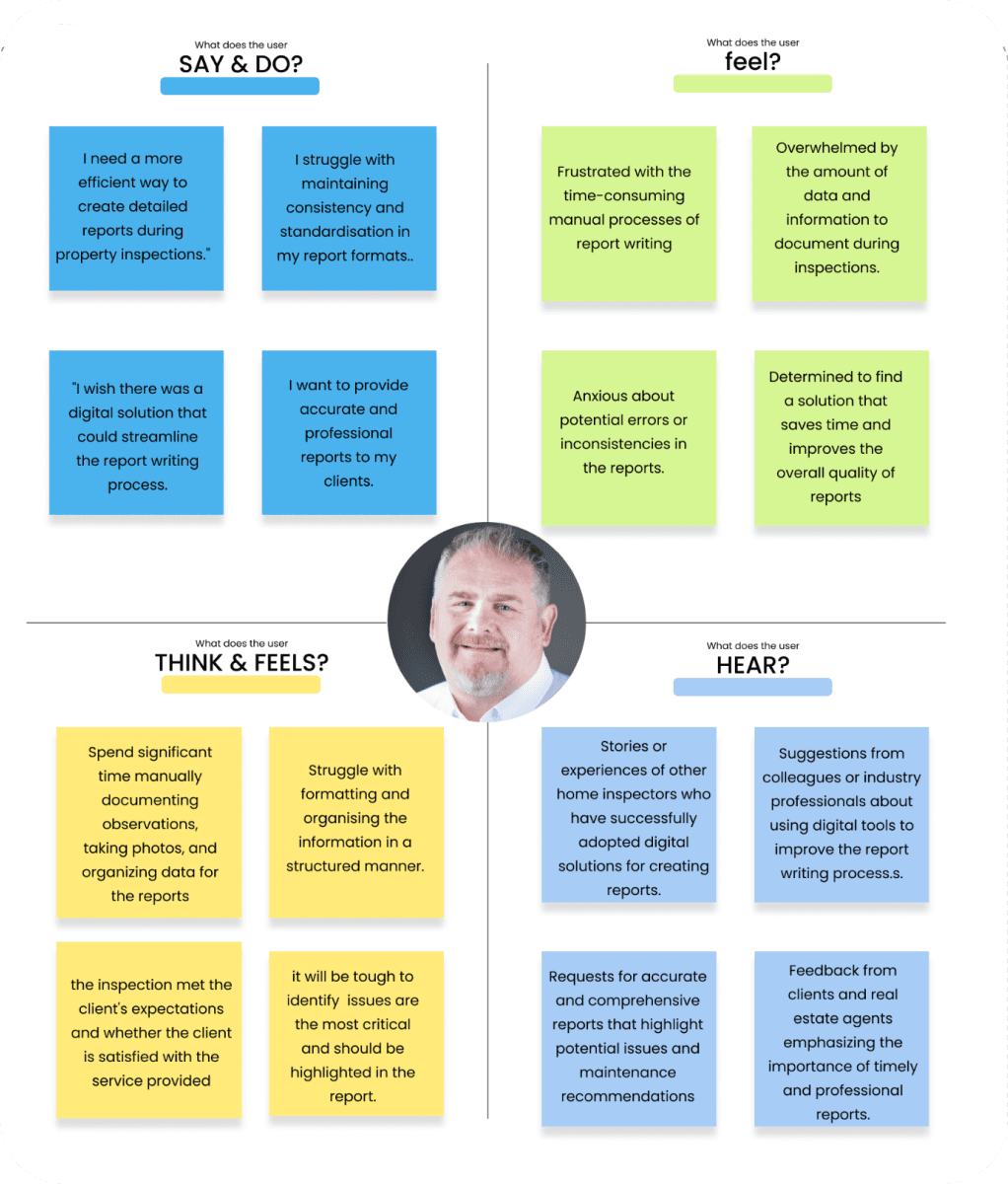
Camera Based Approach
Checklist Based Approach
U
S
E
R
S
World Inspection Network or WIN is a franchise business model that provides professional and consistent home inspection services, supported by a strong brand, proprietary technology, and comprehensive training for franchise owners
In October 2023, our team was challenged to reimagine a legacy home inspection app; a tool inspectors relied on daily but often struggled with. The existing system forced them into a fragmented routine: taking notes on site, uploading photos later, and spending 3 to 4 extra hours piecing everything together at their desks.
We set out to design a solution that could bring it all together — enabling inspectors to complete, customize, and deliver reports right from the field, without losing accuracy, context, or their personal rhythm.
“Wouldn't it be great", we discussed, “to be able to complete inspections & move on to the next inspection site without having to worry about the previous one?"
COMPANY
WIN Home Inspection
ROLE
UX Design, UI Design, Research
& Documentation
PLATFORM
iOS, Android, Tablet & Web
DESIGN TOOLS
Figma, Figjam, Protopie & Paper
Designing an app to complete & deliver home inspection reports on site, adapting to their unique workflows and styles
2 QA
2 SMEs
1 Product Owner
4 Engineers
Home Inspection
Report Writer
LIVE
Tools built for the hands that inspect
homes, not the desks that manage them
I
N
T
R
O
HOME